

Features
Scheduled Runs
Set up automatic periodic analysis runs.
Scheduled Runs
Automate your visibility tracking by scheduling recurring analysis runs. Results feed directly into the trends dashboard, enabling continuous monitoring without manual intervention.
Setting up a schedule
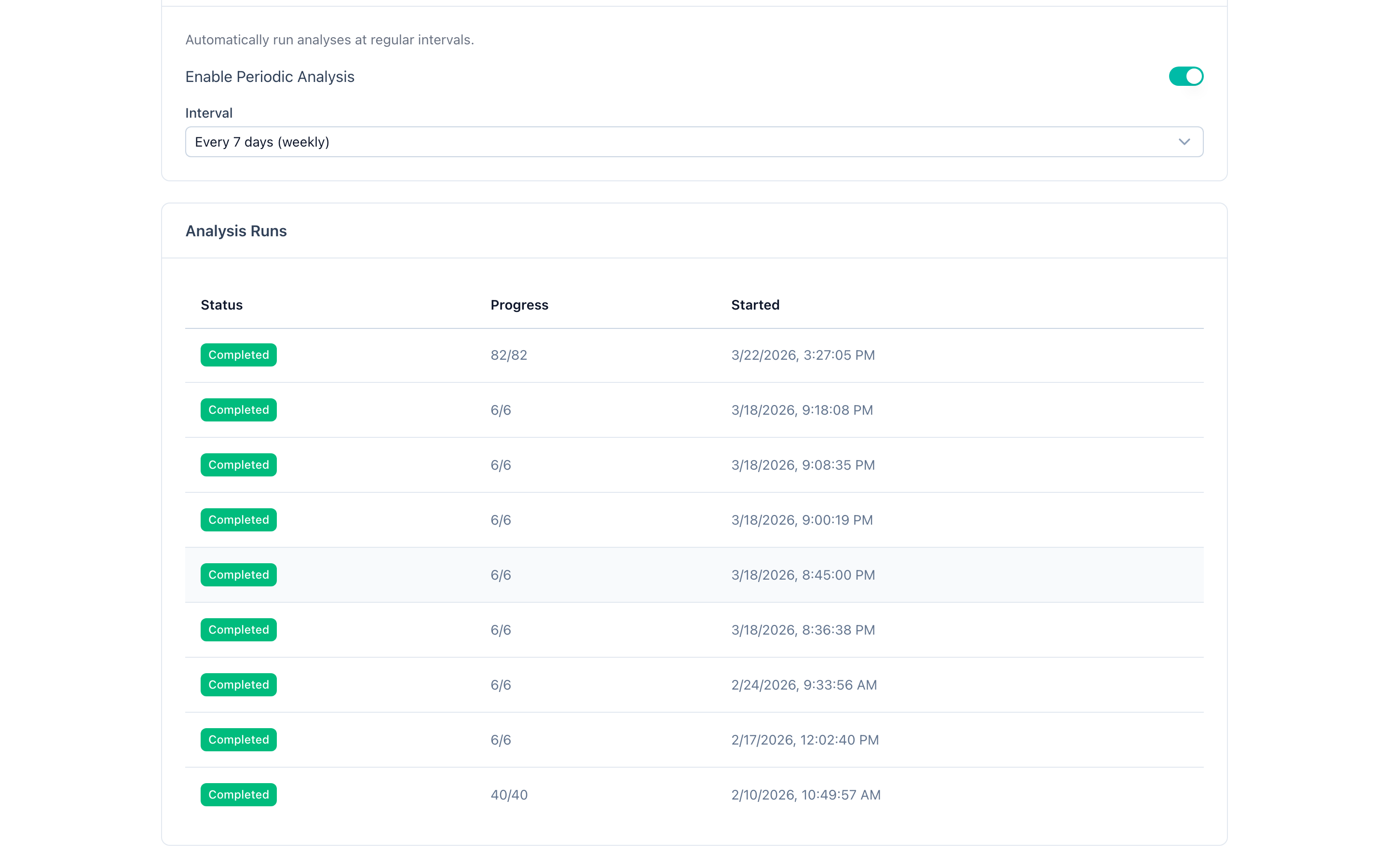
In your project settings:
- Enable the schedule toggle.
- Select an interval:
- Daily (every 1 day)
- Every 2 days
- Weekly (every 7 days)
- Every 14 days
- Monthly (every 30 days)
That is all. Scheduled runs execute automatically using your current project configuration.
How it works
- Runs are triggered automatically at the configured interval using a background job queue.
- Each scheduled run uses the latest project settings at the time of execution, including prompts, provider configuration, and crawl settings.
- Before creating a new scheduled run, the system checks that no other run is currently active (pending or running) for the project. If an active run exists, the scheduled run is skipped to avoid conflicts.
- Results appear in the runs list and are included in trends data just like manually started runs.
- After a server restart, all active schedules are automatically restored so no scheduled runs are missed.
Managing schedules
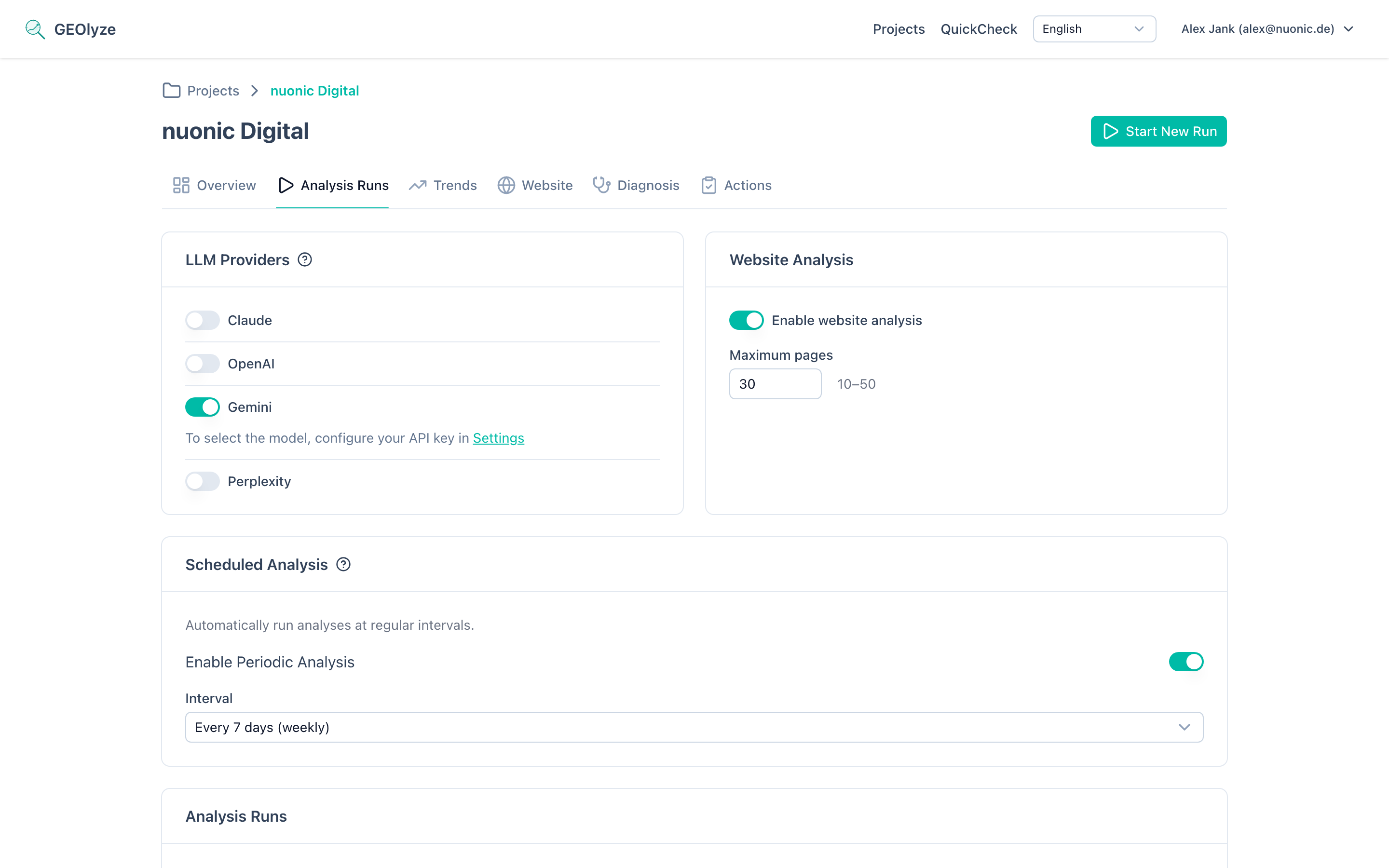
- Change the interval at any time. The existing schedule is removed and replaced with the new interval, taking effect from the next scheduled execution.
- Disable the schedule by toggling it off. The background job is removed and no further automatic runs will occur until re-enabled.
- Scheduled runs and manually started runs work independently. You can start a manual run at any time regardless of the schedule.
Best practices
- Choose an interval that matches how frequently you make changes to your website or SEO strategy. Weekly or bi-weekly is a good default for most projects.
- Scheduled runs consume the same resources as manual runs. Consider your billing plan when setting short intervals like daily.
- Review the trends dashboard regularly to evaluate the impact of your optimization efforts between scheduled runs.