Diagnosis
Diagnosis
The diagnosis page provides an AI-powered gap analysis of your AI visibility, combining data from your latest analysis run with website crawl results. It identifies where and why your company is invisible to AI systems, and provides concrete recommendations for improvement.
Health score
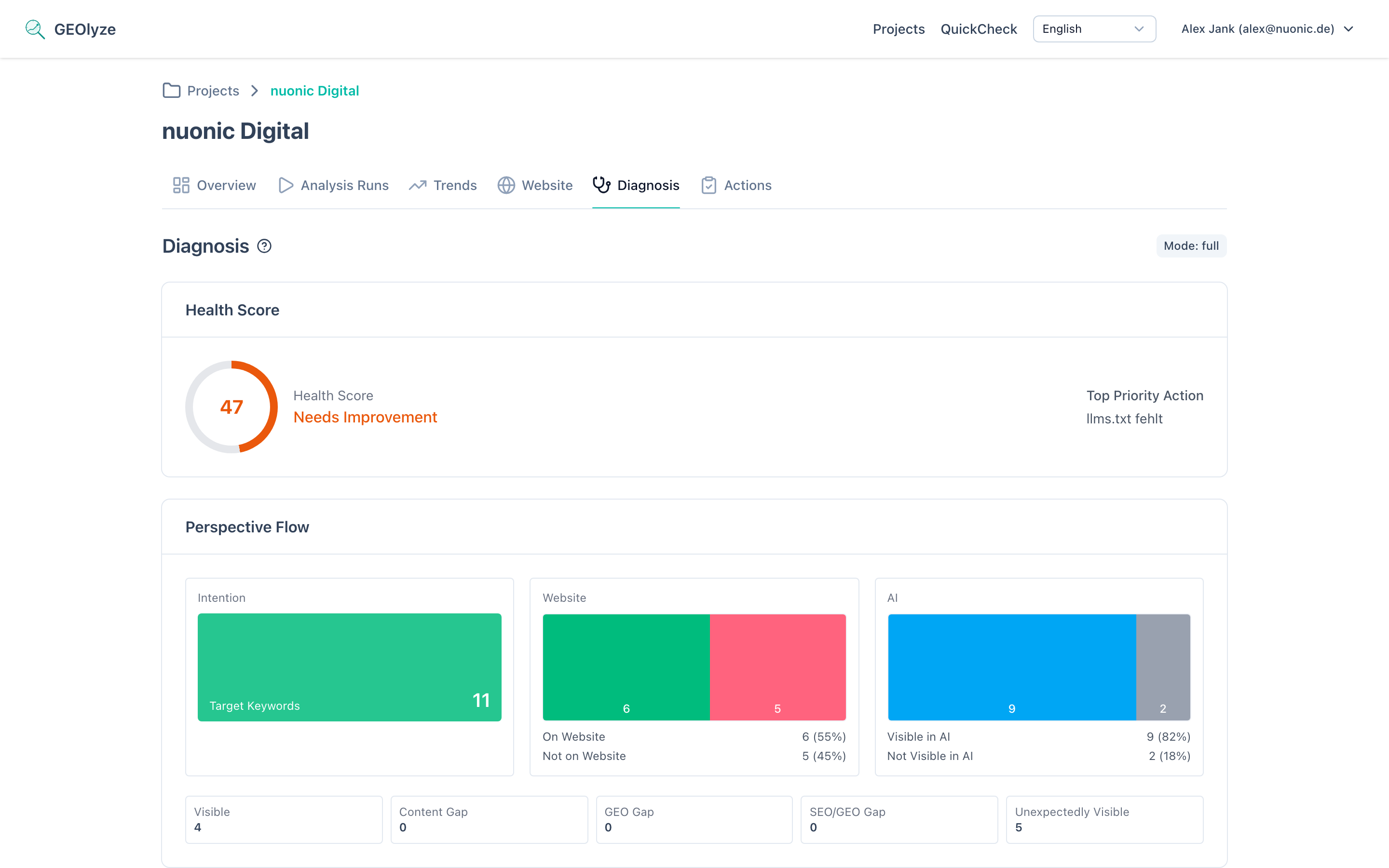
A circular gauge displaying your overall AI visibility health rating on a scale of 0 to 100. The score is computed from the gap analysis across all your keywords and any technical findings. The gauge is color-coded:
- 80+ (green) -- excellent visibility.
- 50--79 (amber) -- good, but with room for improvement.
- 20--49 (orange) -- needs significant work.
- Below 20 (red) -- critical visibility issues.
Top priority action
Directly next to the health score, the single most impactful improvement you can make right now is highlighted. This is derived from your highest-priority recommendations and technical findings.
Perspective flow
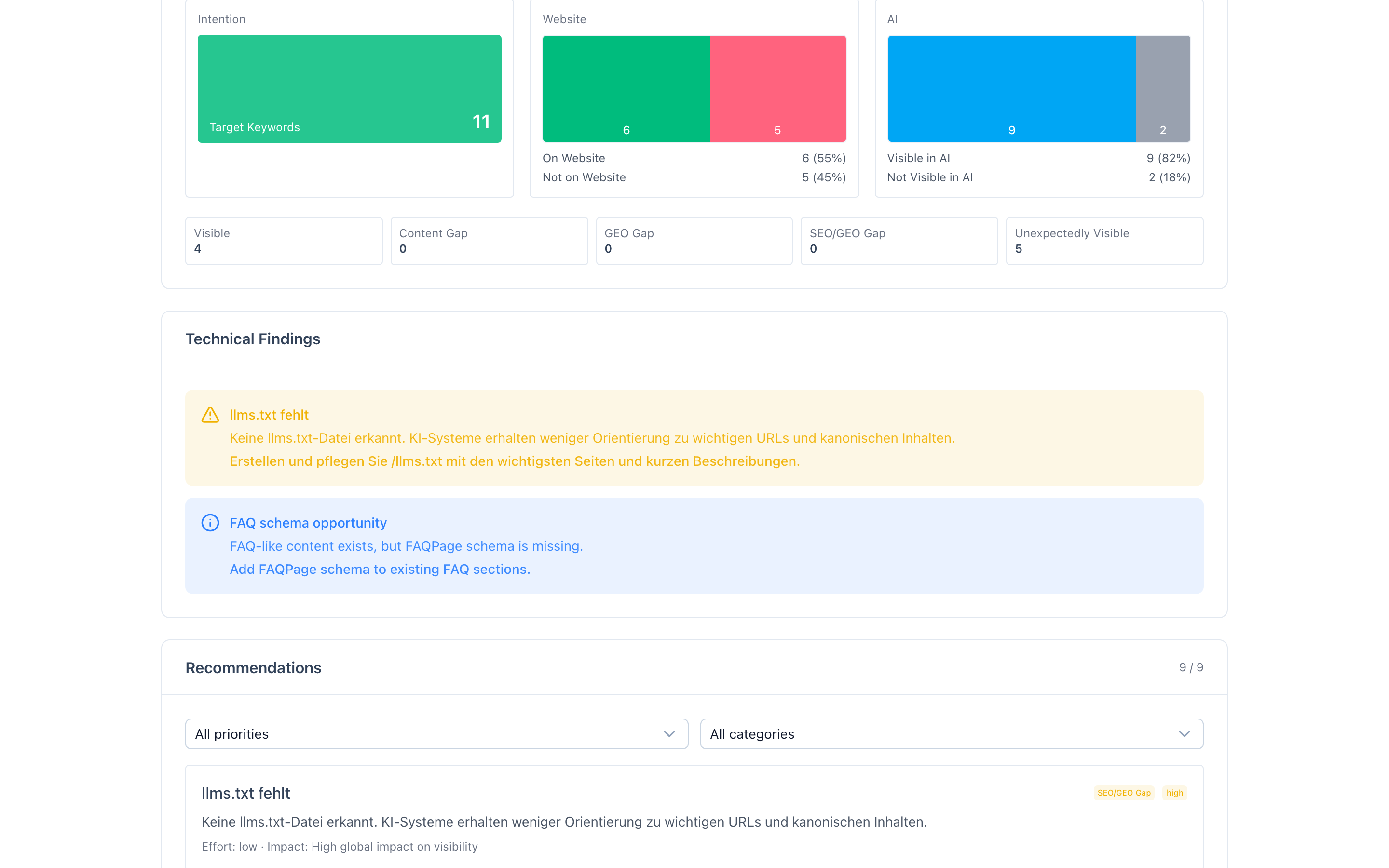
A three-column visual that maps how your target keywords flow through three perspectives:
- Intention -- the total number of target keywords you want to be visible for.
- Website perspective -- how many of those keywords are actually present on your website vs. missing.
- AI perspective -- how many keywords AI systems associate with your company vs. do not.
Below the flow chart, five gap counters summarize the outcome:
- Visible -- keyword is on your website and AI systems mention you for it.
- Content gap -- keyword is missing from your website and AI does not mention you.
- GEO gap -- keyword exists on your website but the page's GEO readiness score is too low (below 5/10) for AI systems to pick it up.
- SEO/GEO gap -- keyword exists on your website with a reasonable GEO score, but AI systems still do not mention you (suggests external signal or ranking issues).
- Surprise visible -- AI already mentions you for this keyword even though your website lacks dedicated content for it.
Technical findings
Issues detected on your website that directly affect AI visibility. Each finding is displayed as a severity-coded alert (blocker, warning, or info) with a description and a specific recommendation. Findings can include:
- AI crawler blocks -- robots.txt rules blocking AI crawlers such as GPTBot (OpenAI), ClaudeBot (Anthropic), Google-Extended (Gemini), or PerplexityBot.
- Missing llms.txt -- no llms.txt file detected, reducing AI guidance on important URLs.
- HTTPS issues -- website not consistently served over HTTPS.
- Missing sitemap.xml -- no sitemap for crawlers to discover pages reliably.
- Missing Organization schema -- no Organization structured data to strengthen entity identity signals.
- FAQ schema opportunity -- FAQ-like content found on the site but no FAQPage schema markup applied.
Recommendations
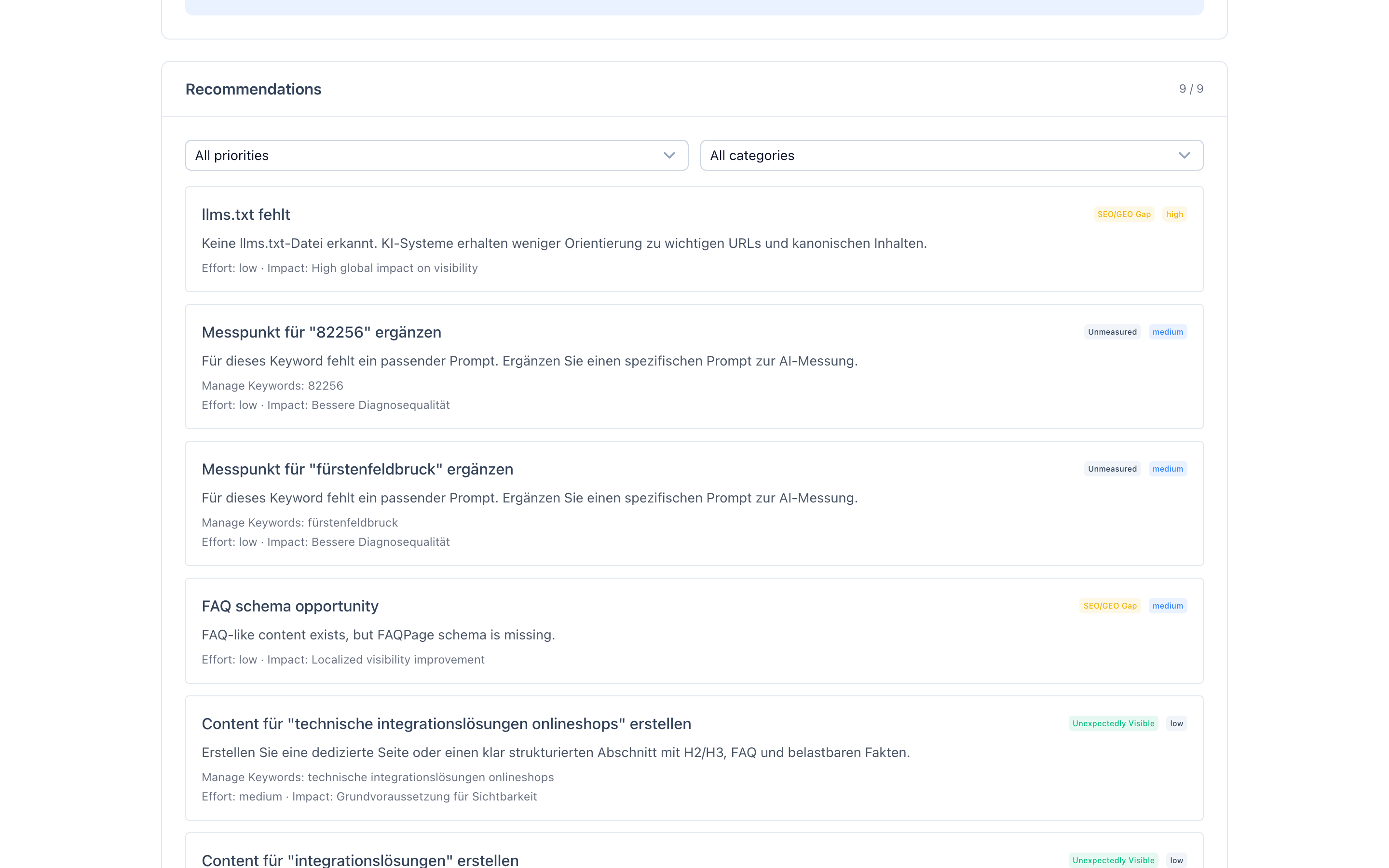
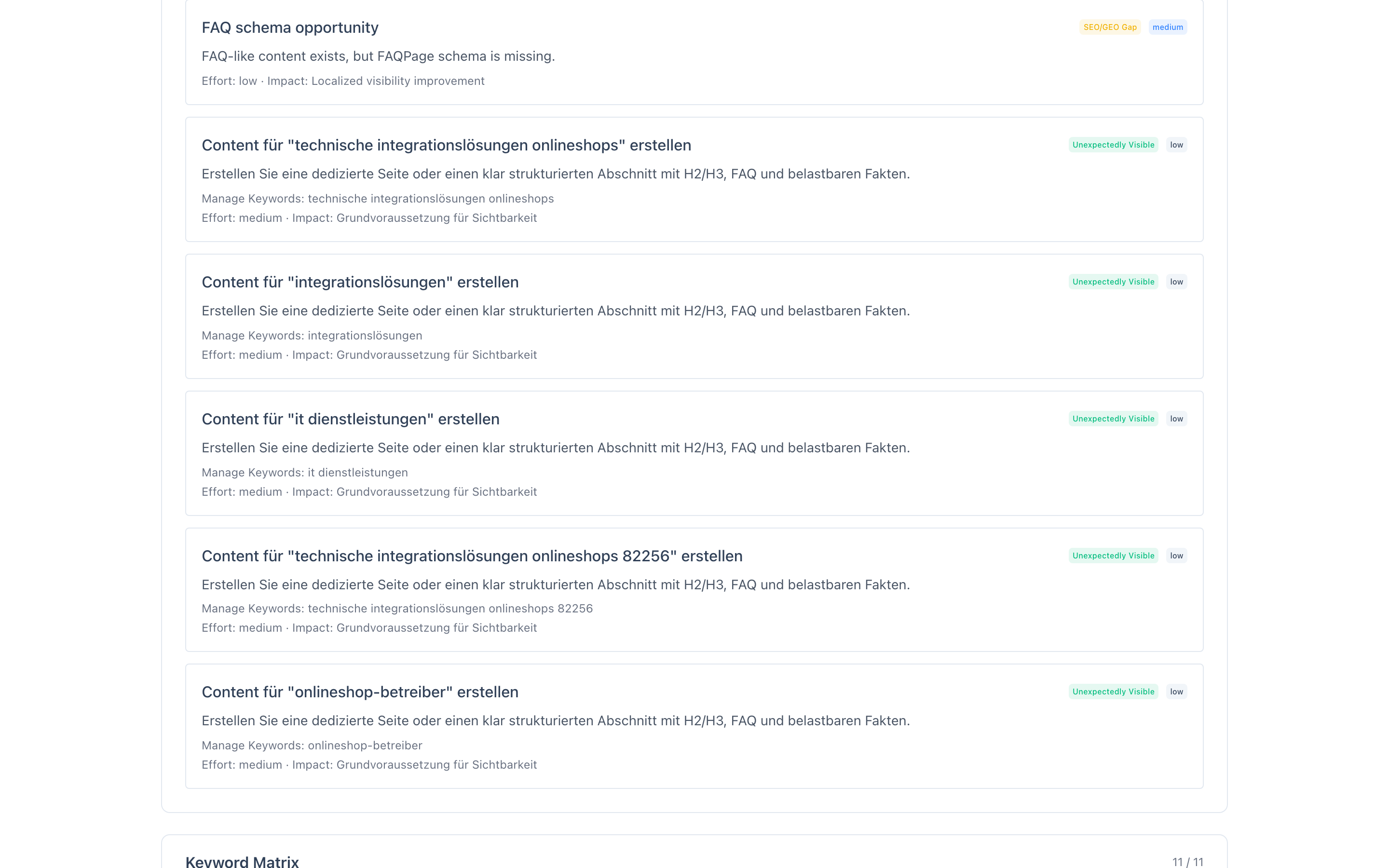
A prioritized list of concrete improvements, each showing:
- Priority -- critical, high, medium, or low.
- Gap type -- what kind of visibility gap this recommendation addresses (content gap, GEO gap, SEO/GEO gap, etc.).
- Description -- what to do and why.
- Affected keywords -- which target keywords this recommendation will improve.
- Effort -- how much work is required (low, medium, or high).
- Expected impact -- the anticipated improvement.
Recommendations are categorized by type: content creation, content optimization, schema markup, technical access, entity strengthening, FAQ creation, structure improvement, authority building, off-page listings, and Google ranking.
Keyword diagnosis matrix
An interactive table listing every target keyword with its current status. For each keyword, you can see:
- Keyword -- the target term.
- Priority -- high, medium, or low.
- On website -- whether the keyword was found during the website crawl.
- AI mention rate -- percentage of AI responses that mention your company for this keyword.
- Gap type -- the diagnosed gap classification.
You can filter the matrix by gap type (content gap, GEO gap, SEO/GEO gap, strategy gap, or visible) and sort by priority, keyword name, mention rate, or gap severity.
Keyword detail drill-down
Click any row in the matrix to open a detailed view of that keyword, showing:
- Gap explanation -- a plain-language description of why the keyword has its current gap status.
- Priority and severity -- how important this keyword is and how severe the gap is.
- Website perspective -- whether the keyword was found on your site, on which pages, in which contexts (title, h1, h2, body text), and the best page's GEO readiness score.
- AI perspective -- whether AI mentions you, the mention rate across providers, which providers mention you and which do not, and which competitors are mentioned instead.
- Measured prompts -- which analysis prompts are mapped to this keyword and whether each resulted in a mention.
Full vs. reduced mode
The diagnosis operates in two modes:
- Full mode -- when both AI analysis and website crawl data are available, providing the complete gap analysis with all perspectives.
- Reduced mode -- when the analysis used a reduced set of prompts or crawl data is missing. A notice is shown, and some diagnosis dimensions may be limited.
For the most comprehensive diagnosis, ensure all prompts are enabled and website crawling is active.