

Website Analysis
Website Analysis
GEOlyze crawls your website and analyzes it for factors that influence how AI systems perceive and recommend your business. The results feed into the diagnosis and provide actionable insights to improve your AI readability.
Scores
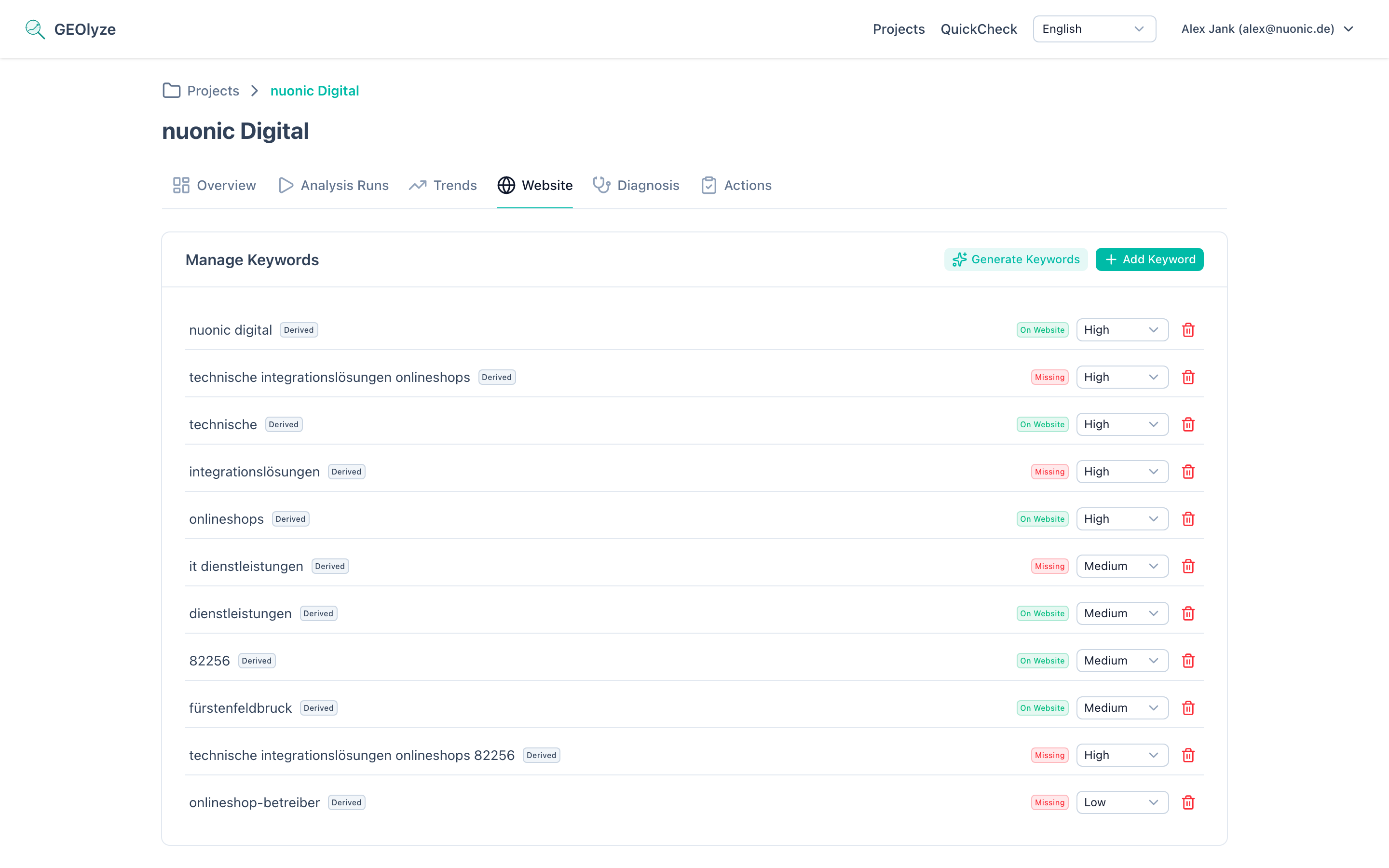
The website analysis produces four scores, displayed as clickable cards at the top of the page. Clicking a card scrolls to the corresponding detail section.
GEO readiness score (0--10)
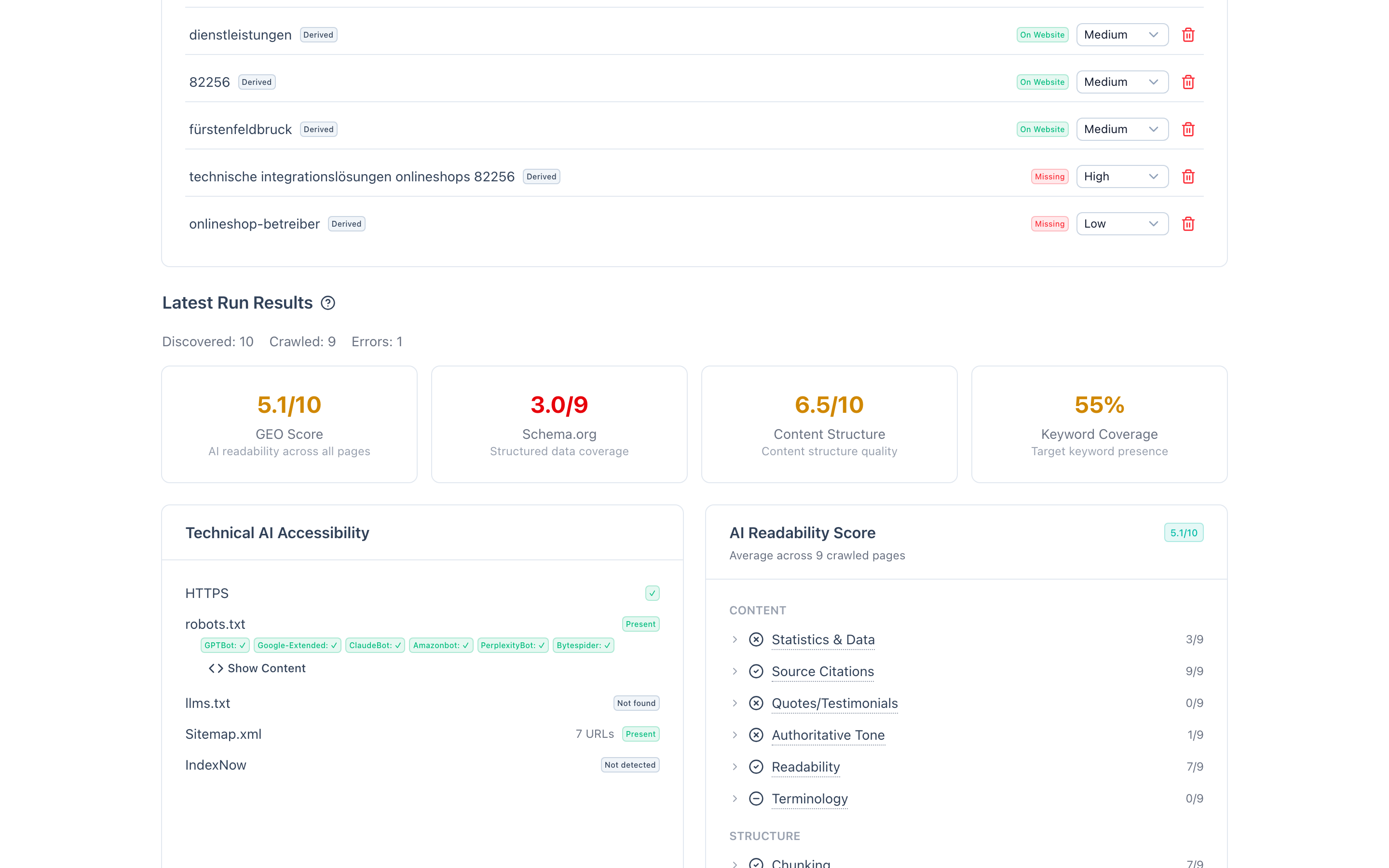
Measures how well each page is optimized for AI readability, averaged across all crawled pages. The score is based on 10 criteria evaluated per page, grouped into content and structure categories:
Content criteria:
- Statistics and data -- presence of quantitative data, studies, or research references.
- Source citations -- references to authoritative sources.
- Quotes and testimonials -- customer testimonials or expert quotes.
- Authoritative tone -- confident, clear language about your offering.
- Readability -- text structure and comprehension level.
- Terminology -- use of industry-relevant terms matching your configured offering.
Structure criteria:
- Chunking -- content organized into digestible sections.
- Lists and tables -- structured data presentation for easy AI parsing.
- Inverted pyramid -- key information presented first.
- FAQ sections -- question-and-answer formatted content.
Each criterion is rated per page as green (good), yellow (partial), or red (missing). You can click any criterion to see a per-page drill-down showing which pages pass, partially pass, or fail.
Schema.org score
Evaluates how well you have implemented structured data. Nine GEO-relevant schema types are checked, grouped by relevance:
High relevance:
- Organization -- company identity (name, URL, logo, contact details).
- FAQPage -- FAQ-structured content.
- Service -- service descriptions.
Medium relevance:
- WebPage -- general page markup.
- BreadcrumbList -- navigation structure.
Contextual relevance (importance depends on your business type):
- LocalBusiness -- for businesses with physical locations.
- Article -- for sites with blog or editorial content.
- Product -- for e-commerce sites.
- SoftwareApplication -- for SaaS businesses.
For each type, the analysis shows whether it was found, on which pages, and which required properties are missing. Tooltips provide explanations of each schema type's purpose.
Content score (0--10)
Rates your overall content structure and quality across all crawled pages. Ten checks are evaluated:
- About/company page exists.
- Blog or knowledge section exists.
- Average paragraph length is appropriate.
- Pages have sufficient word count.
- Heading hierarchy is properly structured.
- Images include alt text.
- Call-to-action signals are present.
- Strong entity statements about your company appear.
- Regional/location references are included.
- Internal linking is adequate.
Each check results in pass, warn, or fail status, contributing to the total score.
Keyword coverage
Percentage of your target keywords found on the website. The detailed table shows:
- Which keywords are found and on which pages (with contexts: title, h1, h2, body text).
- Which keywords are missing entirely.
- Which keywords are well-covered (found in prominent positions like titles or headings).
Technical checks
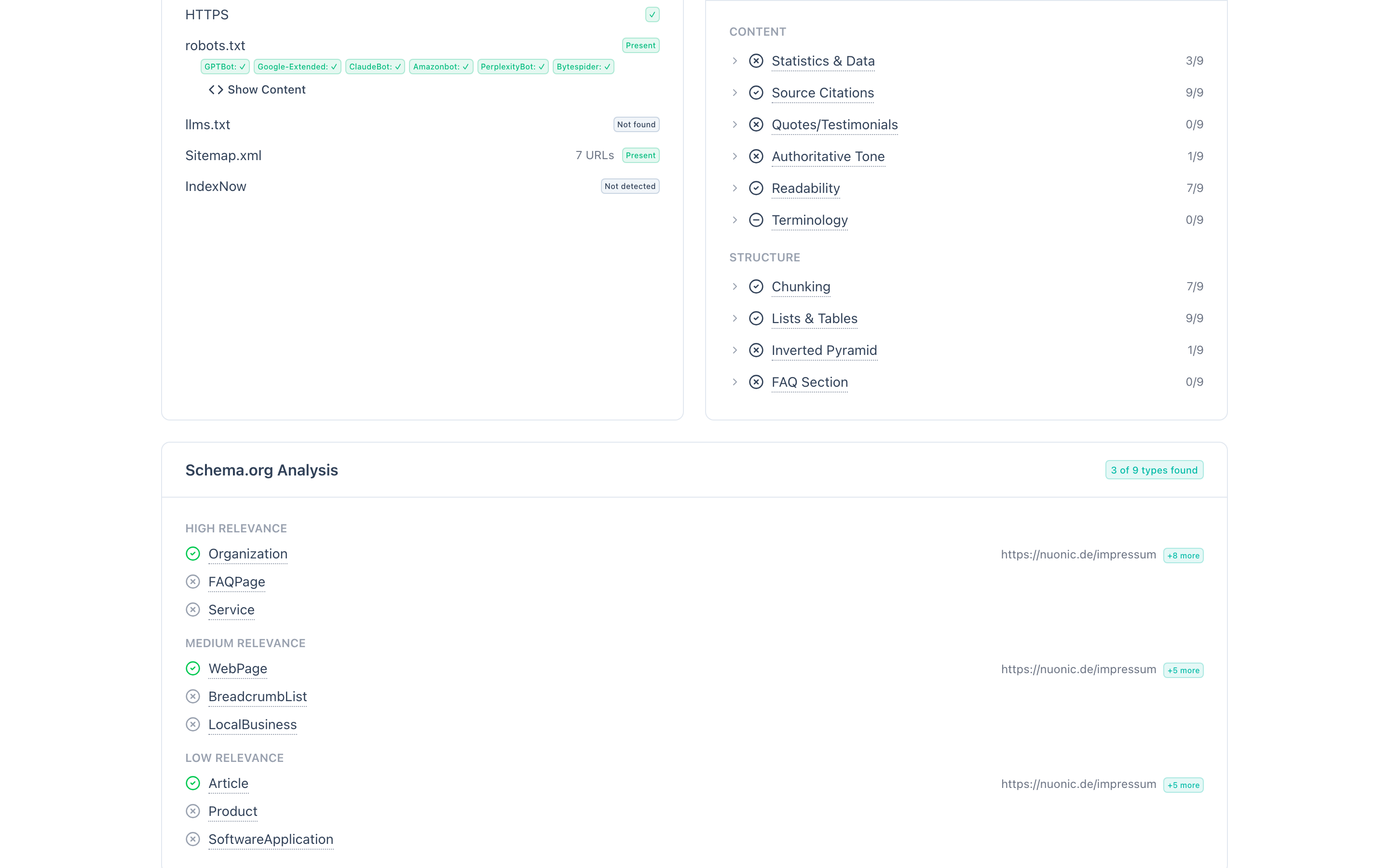
A card showing the status of critical technical factors:
- HTTPS -- whether the site is consistently served over HTTPS.
- robots.txt -- whether the file exists, with the status of each AI crawler (GPTBot, Google-Extended, ClaudeBot, Amazonbot, PerplexityBot, Bytespider). Blocked crawlers are flagged. The full robots.txt content can be expanded for review.
- llms.txt -- whether an llms.txt or llms-full.txt file exists, whether its format is valid (starts with a Markdown H1 and contains at least one URL), and its content can be inspected.
- sitemap.xml -- whether a sitemap exists and how many URLs it contains.
- IndexNow -- whether IndexNow integration is detected (for fast page re-indexing).
Keyword manager
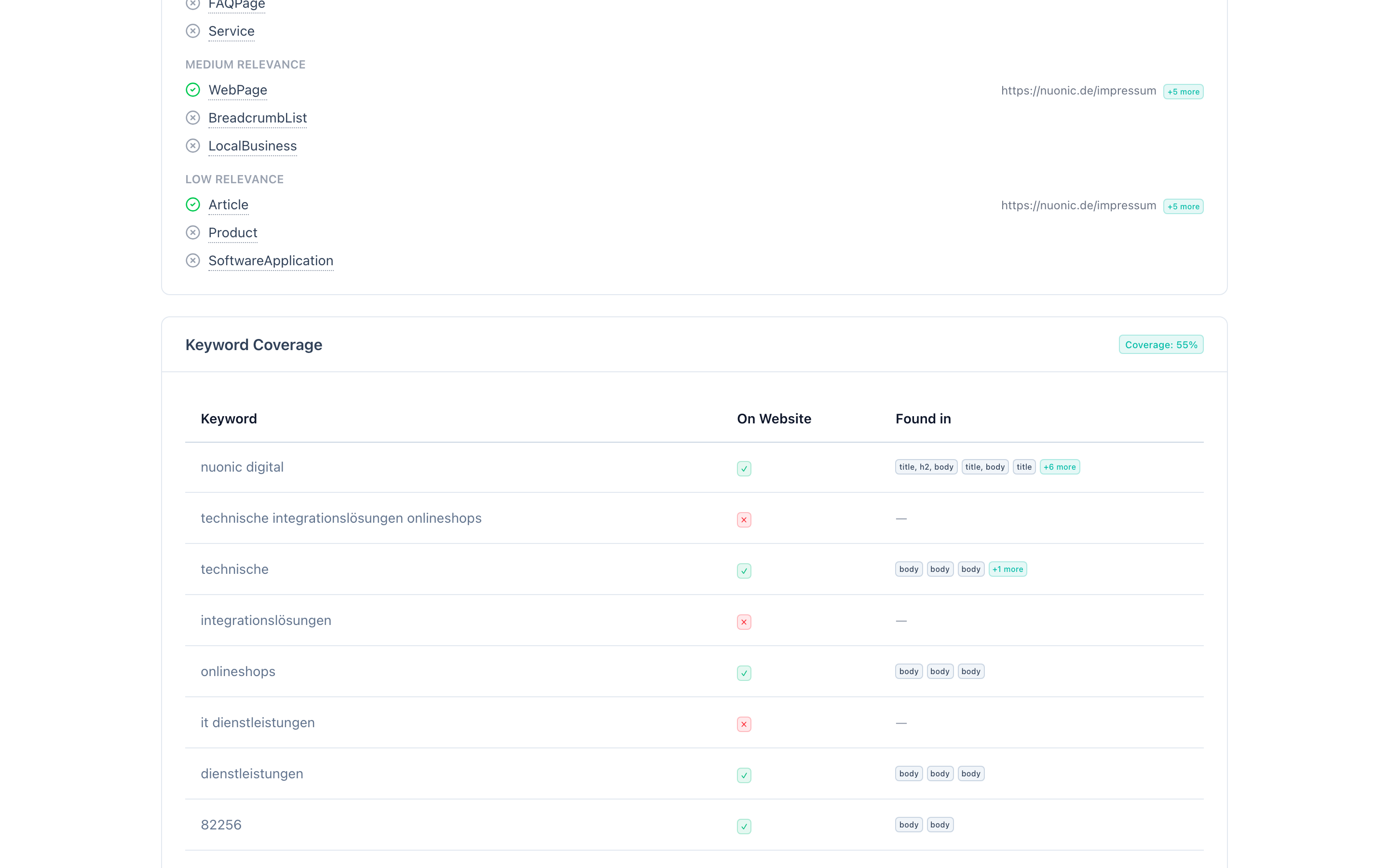
Define and manage your target keywords directly on the website analysis page. Keywords are used for coverage scoring, diagnosis gap analysis, and recommendations.
- Add keywords manually -- enter a keyword and set its priority (high, medium, or low).
- Generate keywords automatically -- use the AI-powered keyword generator to derive keywords from your project's company profile (company name, offering, industry, target audience, location). A second generation step can produce additional AI-suggested keywords.
- Edit priority -- change a keyword's priority level at any time.
- Delete keywords -- remove keywords that are no longer relevant.
Each keyword shows its source (manual, derived, or AI-generated) and, when crawl data is available, whether it was found on the website or is missing.
Crawl metadata
Above the detailed results, metadata about the crawl is displayed:
- Pages discovered -- total pages found during crawl.
- Pages crawled -- pages successfully analyzed.
- Pages errored -- pages that could not be crawled (if any).
Crawl settings
In your project settings, you can configure:
- Enable or disable website crawling during analysis runs.
- Maximum pages to crawl (default: 30), controlling how deep the crawler explores your site.