

LLM Providers
LLM Providers
GEOlyze can query multiple AI providers in each run. You control which providers are active and which model each one uses. Every prompt is sent to every enabled provider, giving you a cross-provider view of your AI visibility.
Available providers
| Provider | Default model | Available models |
|---|---|---|
| Claude (Anthropic) | claude-sonnet-5 | claude-sonnet-5-5, claude-opus-5-5, claude-fable-5-1, claude-sonnet-5, claude-opus-5, claude-sonnet-4-6, claude-opus-4-6, claude-haiku-4-5 |
| OpenAI | gpt-5.6-luna | gpt-6-astra, gpt-6.1-sol, gpt-6-luna, gpt-5.6-sol, gpt-5.6-terra, gpt-5.6-luna, gpt-5.5, gpt-5.4, gpt-5.4-mini, gpt-5.4-nano, gpt-4.1, gpt-4.1-mini, gpt-4.1-nano, gpt-4o, gpt-4o-mini |
| Gemini (Google) | gemini-3.5-flash | gemini-flash-latest, gemini-pro-latest, gemini-3.8-flash, gemini-3.7-flash, gemini-3.6-flash, gemini-3.5-flash, gemini-3.5-flash-lite, gemini-3.1-pro-preview |
| Perplexity | sonar | sonar, sonar-pro, sonar-reasoning-pro |
Perplexity is unique among the providers because it uses search-augmented generation, meaning it can access current web information when answering queries. This makes Perplexity results particularly relevant for website citation tracking.
Configuring providers
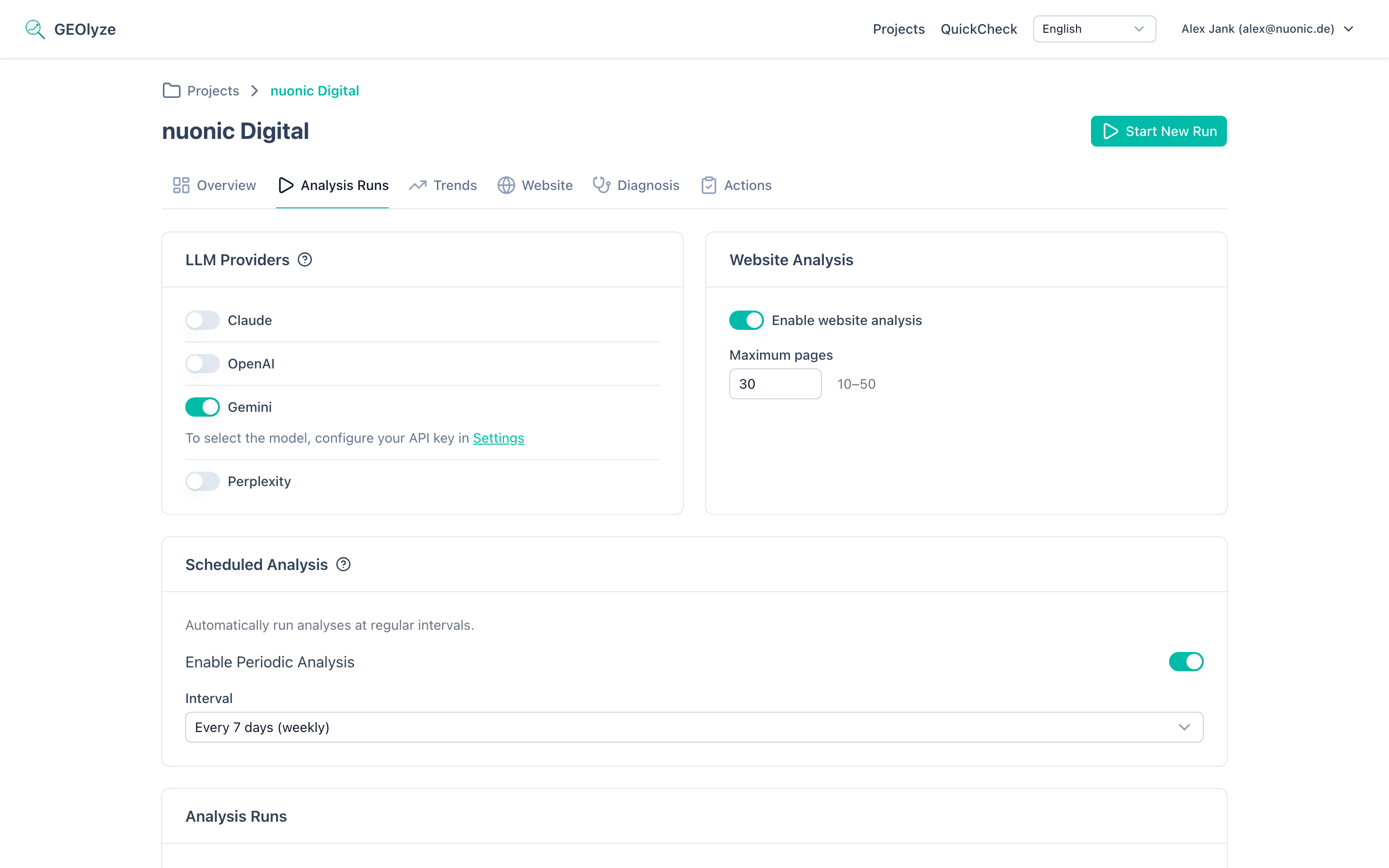
Provider configuration is found on the Runs page of your project:
- Enable or disable each provider using the toggle switch. Disabled providers are skipped during runs.
- Select a model — when you have provided your own API key for a provider, a model dropdown appears allowing you to choose from all available models. You can also type a custom model name if you want to use a model not listed.
Changes take effect on the next run. Existing completed runs are not affected.
How providers affect runs
- Each enabled prompt is sent to every enabled provider independently.
- The total number of AI requests in a run equals: number of enabled prompts x number of enabled providers.
- Results are broken down per provider in the run report, allowing you to compare how different AI systems perceive your company.
- Provider-level metrics include entity mention rate, website citation rate, average response time, and error count.
API keys and billing
GEOlyze uses platform keys by default. If you provide your own API keys in Settings, your keys are used instead (with a cost discount). The model selection dropdown is only available when you have provided your own key.
For more details, see Billing.
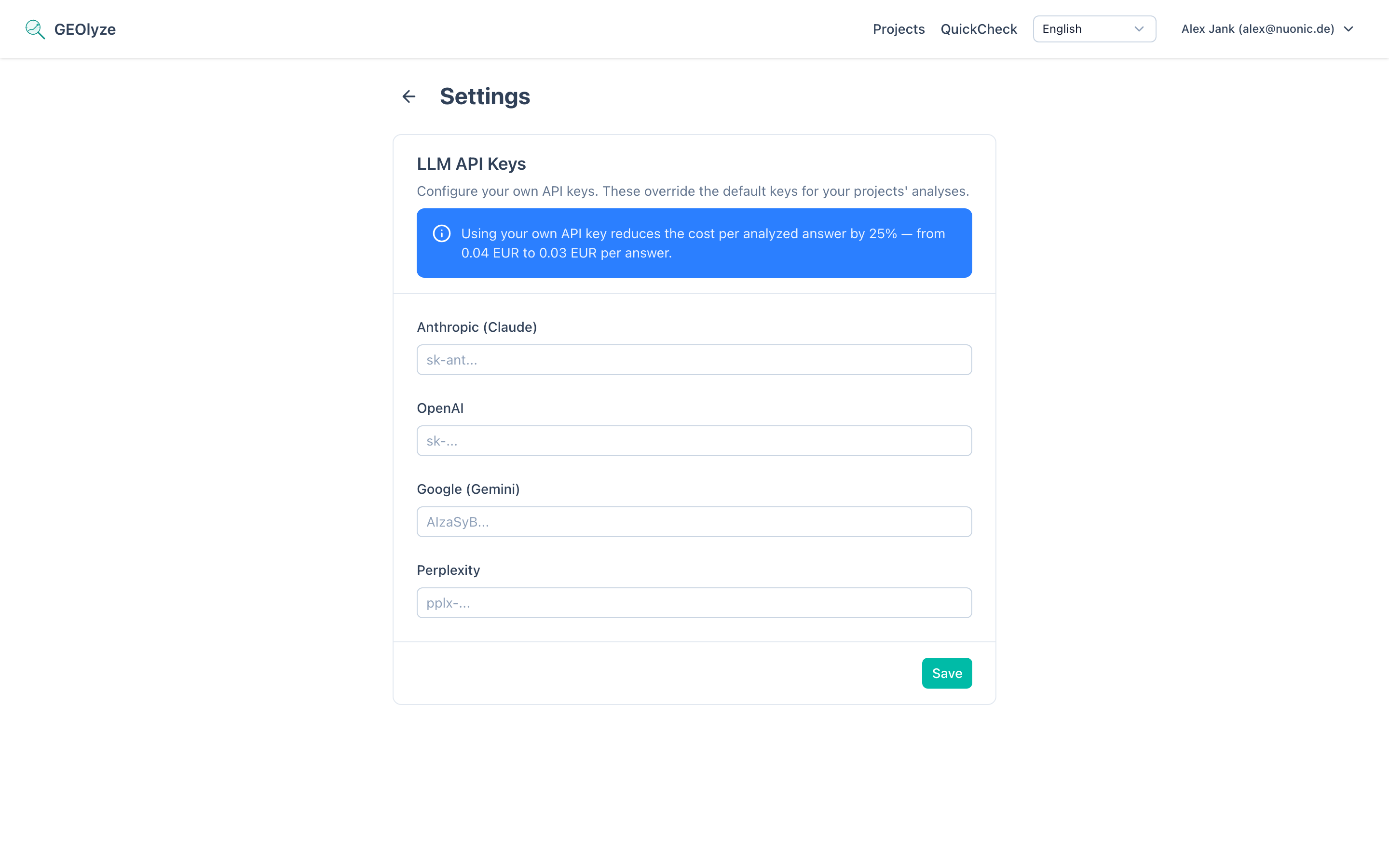
You can add your API keys in Settings > LLM API Keys. GEOlyze supports separate keys for each provider:
- Anthropic API key (for Claude)
- OpenAI API key (for OpenAI)
- Google API key (for Gemini)
- Perplexity API key (for Perplexity)